Fall asleep.
The app stops by itself.
The only podcast app whose sleep timer arms itself automatically on every play, even when you restart in the middle of the night. Whatever happens, playback will switch itself off: never hours running into the void. Nothing to set, nothing to worry about.
A timer armed on every play
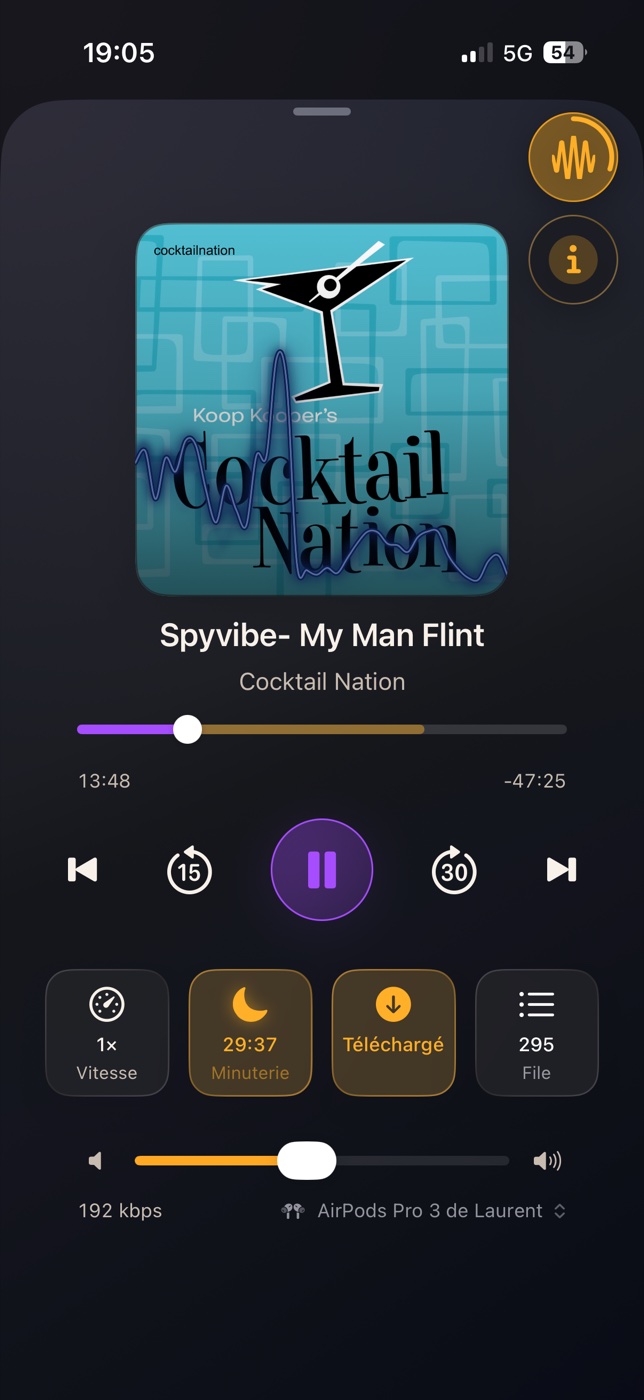
Other apps treat the sleep timer as an option, to re-enable every night. Here it is the heart of the app: you start an episode, you close your eyes, everything else is already set. 30 minutes by default, adjustable.
Automatic, for real
The countdown starts the moment the episode plays, including when you resume after an automatic stop. Playback can never run on for hours: it will switch itself off.
Gentle fades
A soft fade-in on start and resume, a fade-out before the silence: never a harsh cut, especially if you are already asleep.
A voice that reassures
Restarting playback after the timer stopped it? A soft voice confirms it: "Resuming with a 30-minute timer." The certainty that everything will switch off, without looking at the screen.
Next day, pick up where you were
Playback positions are remembered episode by episode. And when you resume after a stop, playback rewinds by an adjustable amount: find the exact spot where you drifted off.
The timer also lives on the Lock Screen, the Dynamic Island, the Home Screen widget and StandBy: +15 min or Stop without unlocking your iPhone, dimmed at night so it never lights up the bedroom. You can fall asleep with your mind at ease.
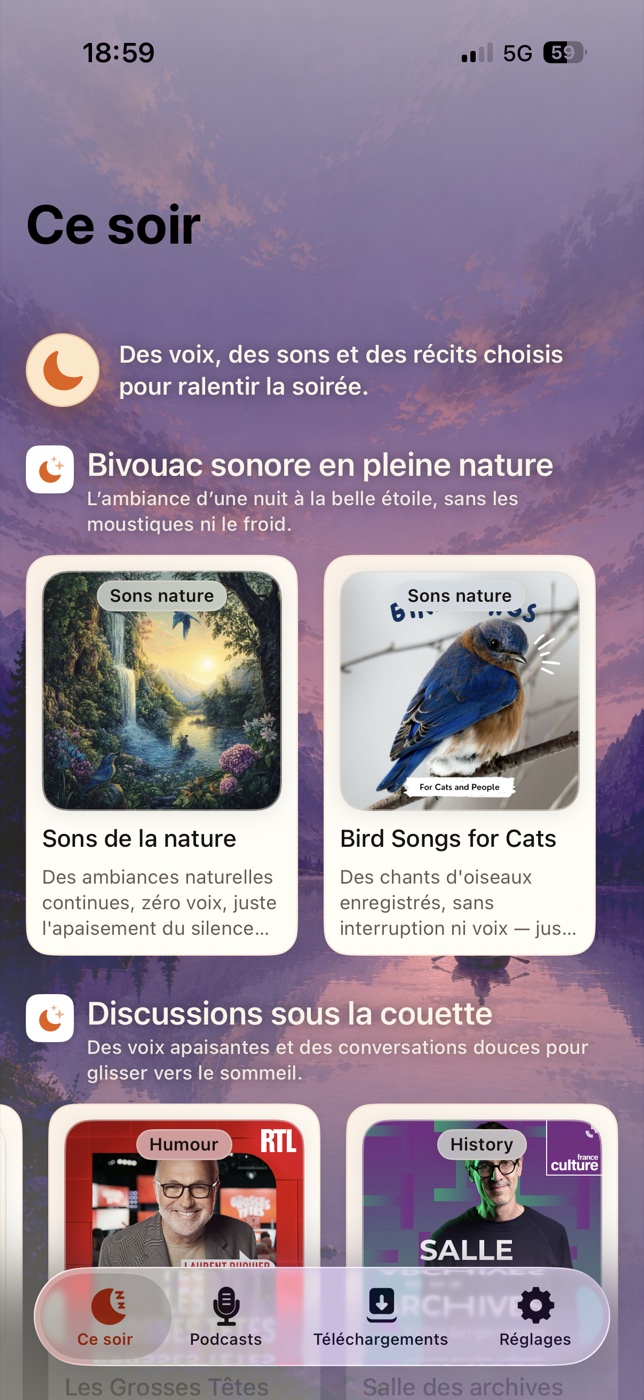
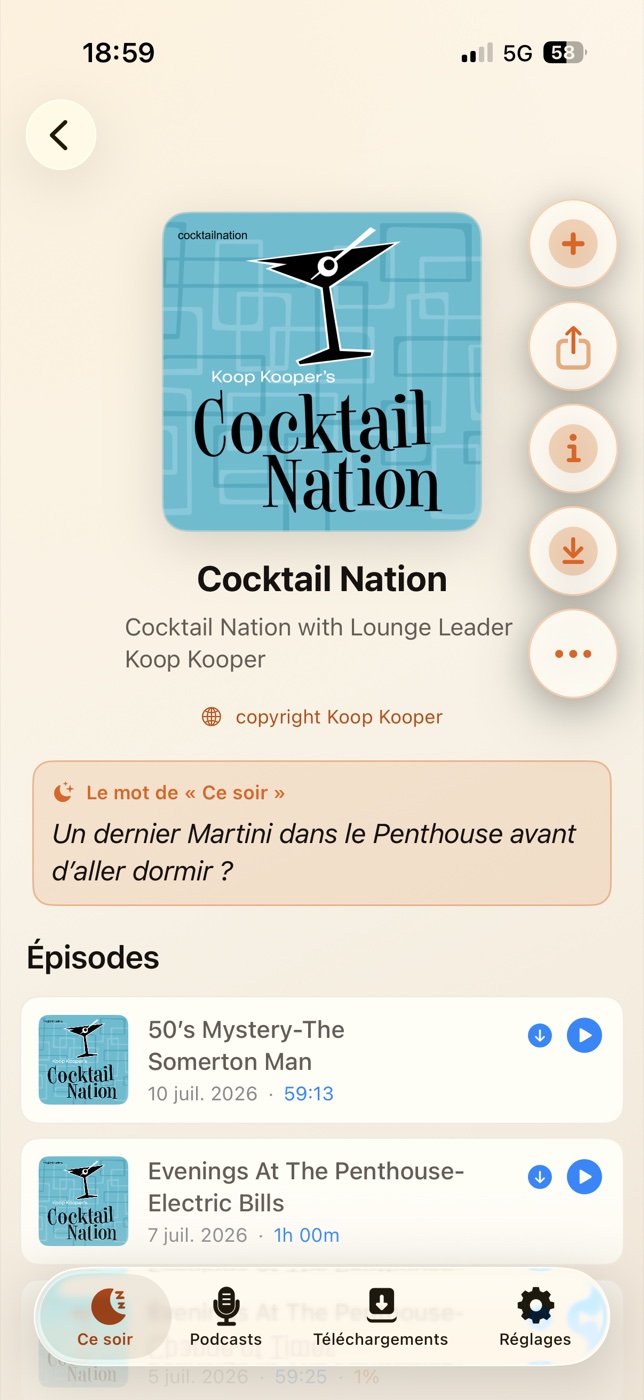
“Tonight”: something to switch your brain off
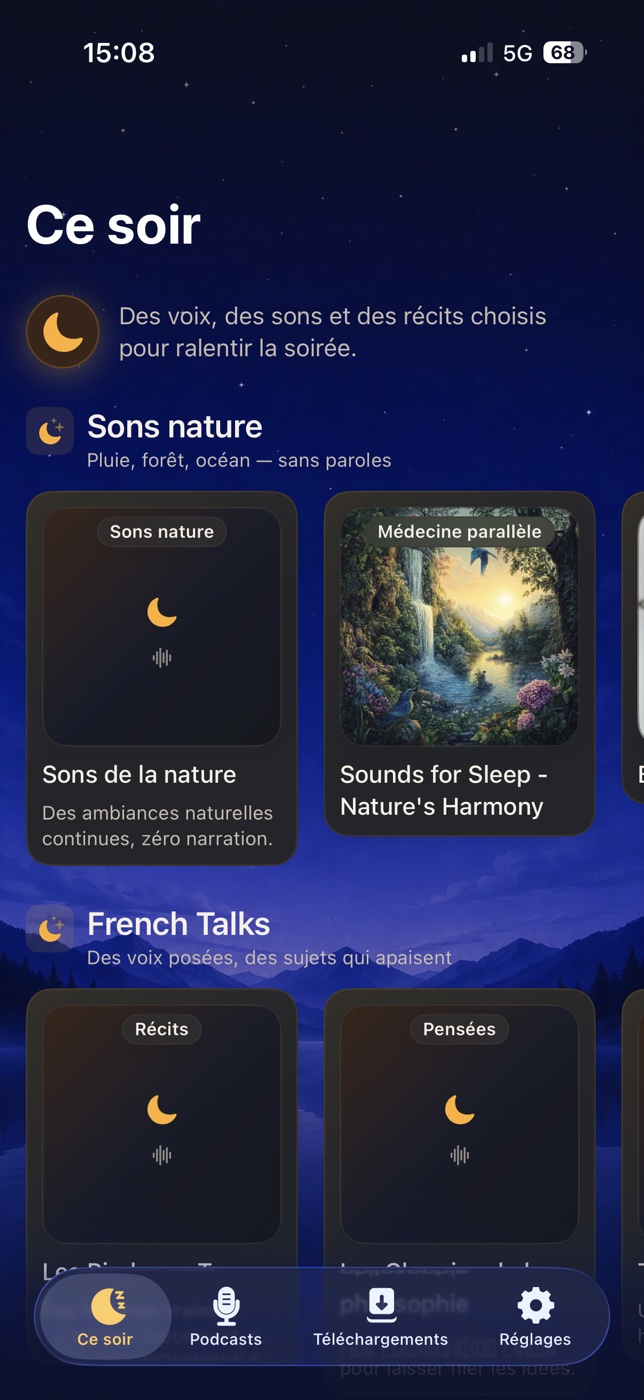
Calm voices, nature sounds, soothing stories: an editorial selection of sleep-friendly podcasts, refreshed regularly, with, under each recommendation, why it helps you fall asleep. And the app follows your system settings: soothing dark mode at night, soft light mode by day, automatically.
Your podcasts, with no network at all
Everything is designed for listening far from any connection, with a level of control over keeping and expiring downloaded episodes that you will not find anywhere else.
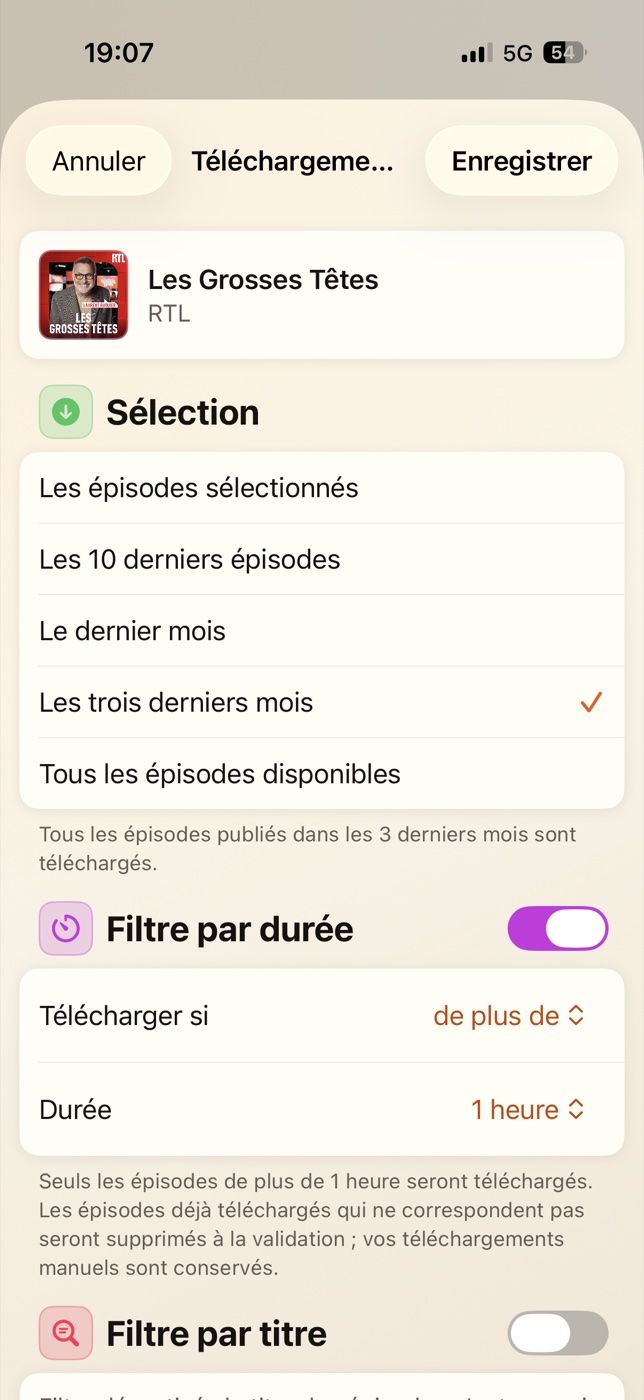
- Download episode by episode, or automatically per subscription: the latest 10, the last month… your choice, podcast by podcast
- Retention rules per podcast and an episode duration filter: keep only what you will actually listen to
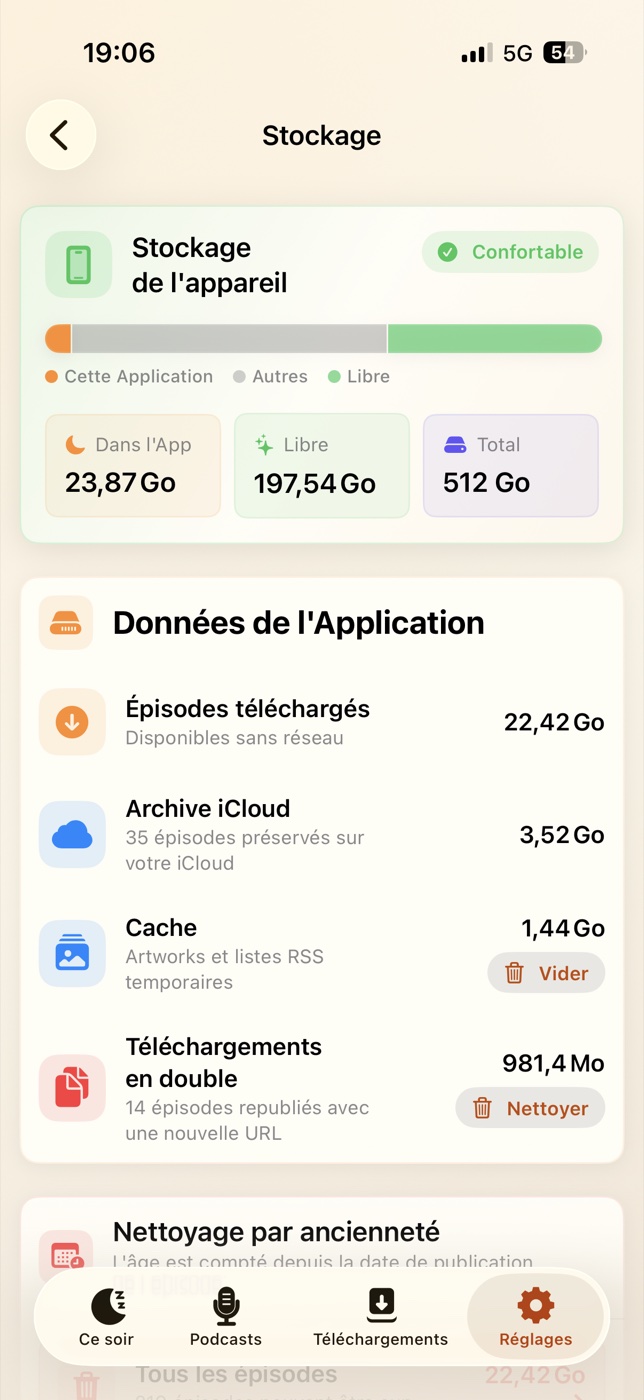
- Purge by age with a preview of the space freed, duplicate episode cleanup: your iPhone's storage stays under control
- Without a connection, the app steers you to your downloads: the "Up next" queue only chains episodes playable offline
- Playback positions, played statuses and episode lists stay available: even in airplane mode
A full player, not a minimal app
Chapters
Markers on the progress bar and chapter-to-chapter skipping (compatible podcasts), even offline.
iCloud sync
Subscriptions, positions, played statuses and folders follow you across devices. Optional, through your private iCloud.
Two catalogs
Search Apple Podcasts and Podcast Index, add feeds directly by RSS URL, ready-made French catalog.
Audio spectrum
An optional animated oscilloscope while playing: 4 display modes, several colors, or off.
Playback, your way
Speed from 0.5× to 2×, adjustable skips, portrait and landscape, Lock Screen controls.
Folders & OPML
Organize subscriptions into folders; OPML import / export compatible with Apple Podcasts, Overcast, Pocket Casts…
iCloud archive
Keep episodes that leave the feed on your private iCloud, available without using up your device's storage.
Accessibility
Dynamic Type, VoiceOver, native dark mode and Reduce Motion support. In English, French and Chinese.
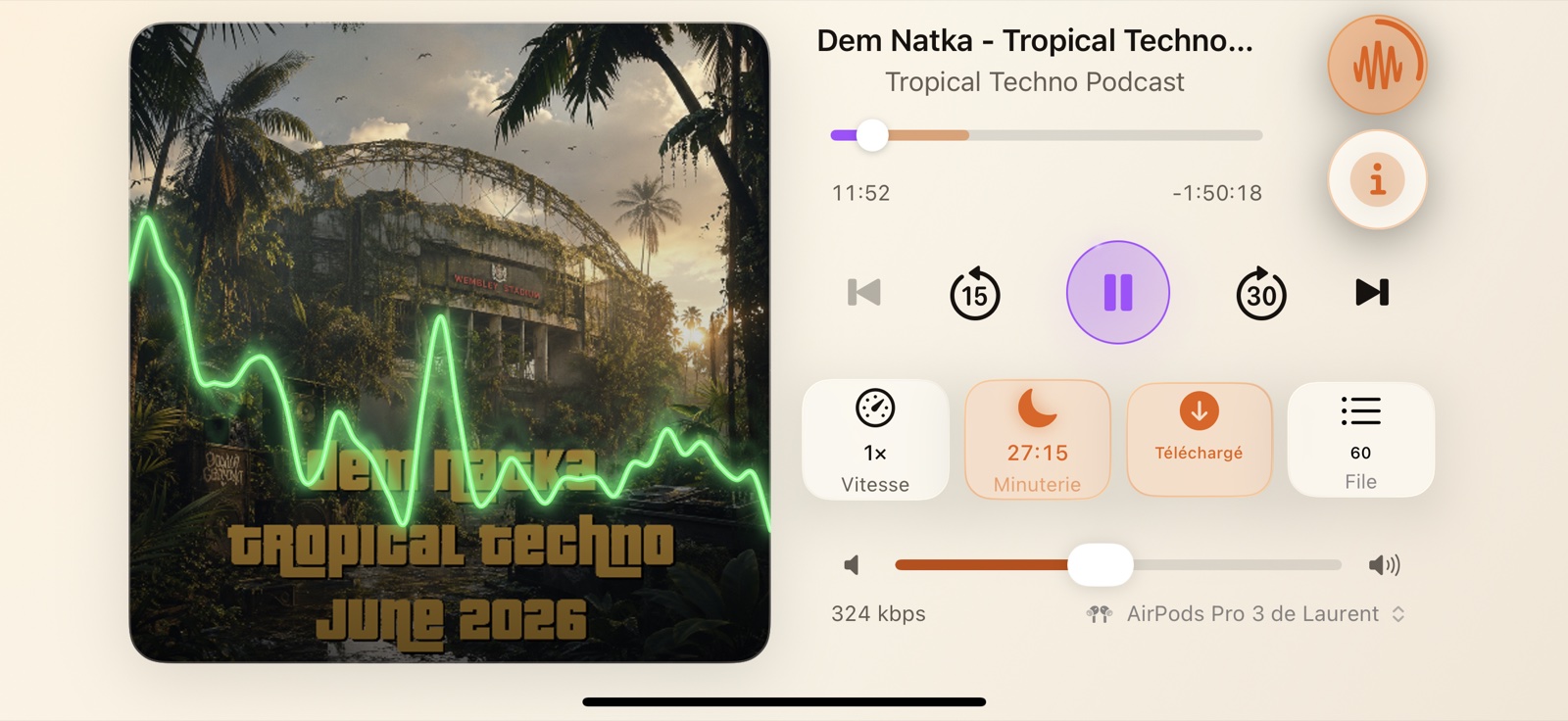
In landscape, everything fits on screen. And the app also runs natively on Apple Silicon Macs.
Nothing to pay. Nothing to give away.
No in-app purchases, no subscription, no ads, and no data collection: no account, no tracking, no advertising SDK.
Your subscriptions, playback positions and settings stay on the device. If you enable sync, they travel only through your private iCloud, never through a third-party server.
Good night.
Start your episode, close your eyes. The app takes care of the rest.